Published
September 3, 2021
Roundup
Q2 2021 feature release: Internal notes, custom rating icons, and easy customer editing
New features
Internal notes for feedback
Internal notes give you and your team a chance to provide closure about the resolution or follow-up items of any feedback.
To add and view notes, click on any feedback in your Simplesat dashboard.

Upload custom rating icons
Let your brand shine by using custom rating icons in any of your CSAT surveys.
Requirements:
- Minimum two images
- Icons must be on a square canvas
- Images should be at least 300 pixels
- They must be simple, cute, and fun!

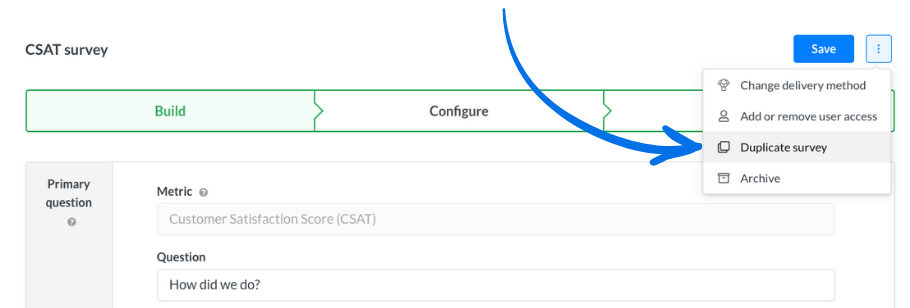
Duplicate surveys
Edit the survey you'd like to copy, then choose the duplicate option from the dropdown menu.
Add, edit, delete customers
You can now create, edit and delete customers in Simplesat. On the Customers page, open the new Add customers menu to create one customer by hand or import many at once.

New email template
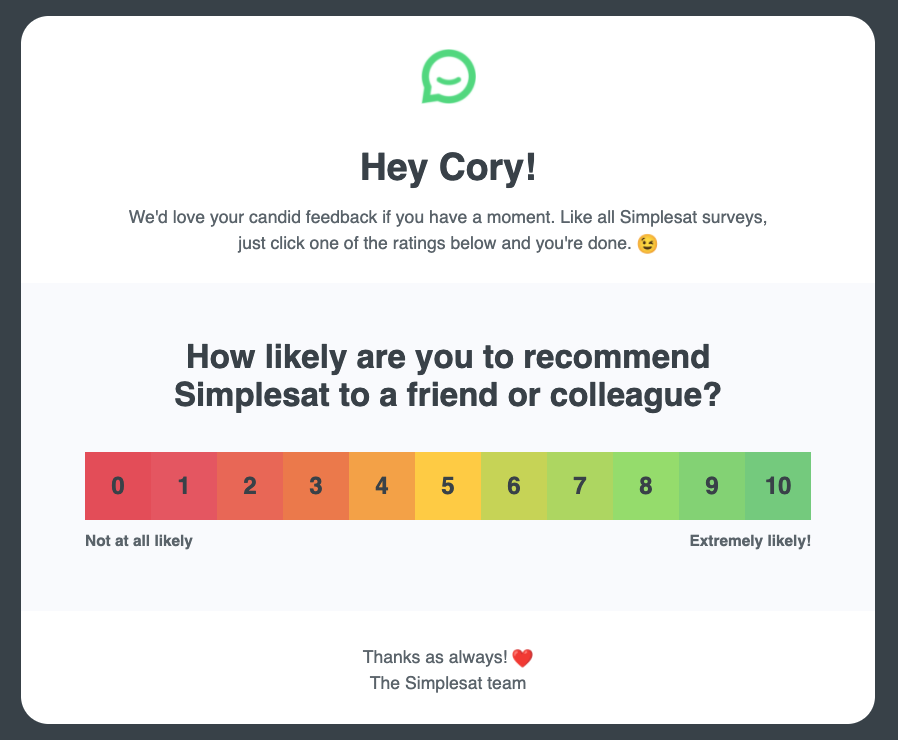
There's a new, playful design template for email surveys. Here it is on an NPS survey, with the question and its 0 to 10 scale on a white card with rounded corners.